
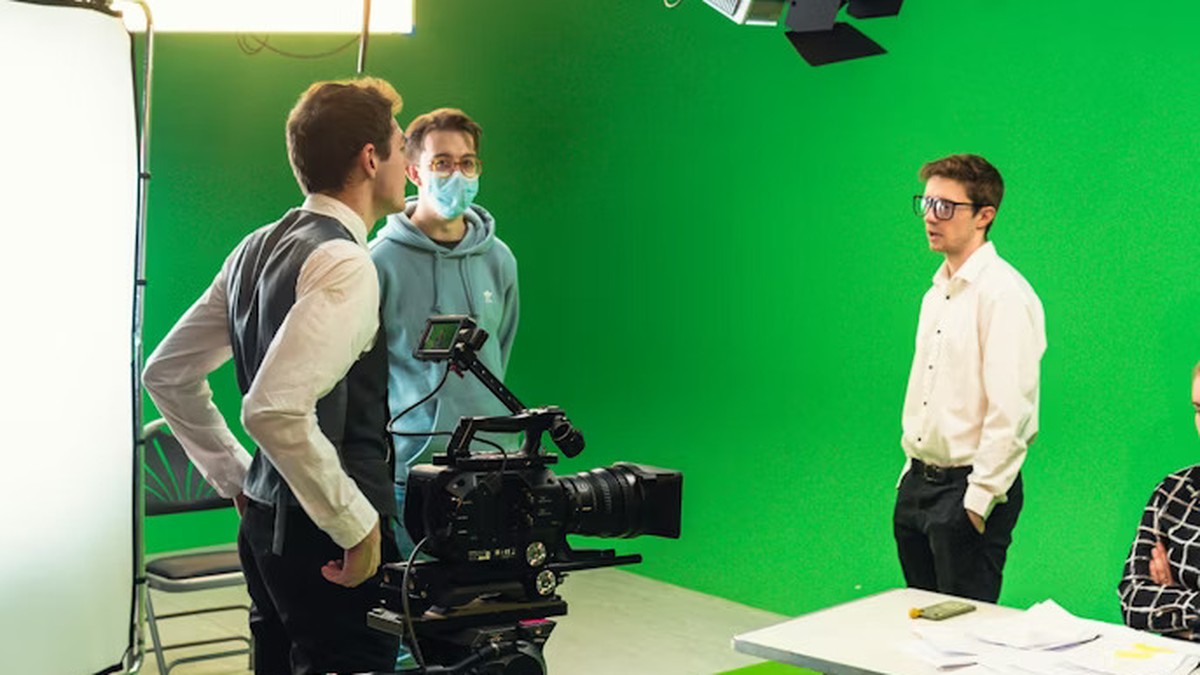
Green screen can look brilliant, but small set-up errors make it fall apart fast.
A few practical tweaks to lighting, distance, and camera settings can save hours in editing.
This guide covers the most common problems and the fixes that make your footage feel polished.
Green screen is one of those tools that feels like magic when it works. When it doesn’t, it can make even a great script look amateur. The good news is that most issues come from predictable set-up choices, not from a lack of expensive gear.
Think of green screen as a capture problem, not an editing problem. If you record clean separation between subject and background, the key is quick and the edges look natural. If you record a messy scene with spill and uneven light, you end up fighting halos and noise for hours.
Mistake 1: lighting the subject and screen the same way
The screen wants flat, even light. The subject wants shaped, flattering light. When you blast both with the same light source, you get hotspots on the backdrop and strange shadows around hair and shoulders.
Separate the job. Light the green screen to be even, then light the subject like a normal interview or presenter. If you’re new to the core mechanics, How does green screen work? is a helpful foundation for understanding why separation is everything.
Mistake 2: standing too close to the screen
Distance is your friend. When the subject is close to the screen, green light bounces back onto skin and clothing. That creates a green cast called spill, and it’s one of the biggest reasons keys look fake.
Step forward. Even a metre can make a big difference in a small room. The extra space also reduces hard shadows on the backdrop, which makes the key cleaner.
Mistake 3: a wrinkled or shiny backdrop
Wrinkles create micro-shadows. Shiny fabric creates glare. Both lead to a patchy key where some areas pull clean and others break apart. If you’ve ever seen a moving “hole” around someone’s shoulder, uneven backdrop tone is usually involved.
Use a taut background. If you’re using fabric, pull it tight and clip it well. If you’re using paper, keep it smooth and protected from scuffs. If you’re using paint, aim for a consistent finish without glossy reflections.
Mistake 4: wearing colours that confuse the key
Green clothing is the obvious one, but it’s not the only risk. Some bright yellows and reflective materials can pick up green spill and start to disappear at the edges. Fine patterns can also shimmer and cause messy outlines.
Pick wardrobe with the final background in mind. Matte textures tend to key better. If you must wear something close to green, you’ll need more distance and more careful light control.
Mistake 5: using noisy footage
Noise creates crawling edges and makes the green background less consistent frame to frame. That’s why low-light green screen is a trap. You can sometimes rescue it, but it’s not fun.
Give the camera enough light so you can keep ISO down. If your camera allows it, record in a higher bitrate and avoid heavy in-camera sharpening. Clean capture makes everything easier.
A quick set-up checklist you can reuse
If you want a repeatable process, treat your green screen shoots like a mini studio day. Run the same checklist every time:
- Even screen light: check for hotspots and shadows across the frame.
- Subject distance: step forward to reduce spill and backdrop shadow.
- Separate lighting: shape the subject light; keep the screen flat.
- Wardrobe test: do a quick key test before recording the full take.
Match the background, not just the edges
A clean edge is only step one. The shot still looks wrong if the subject lighting doesn’t match the inserted background. If the background suggests a warm sunset, but your subject is lit with cold overhead LEDs, the brain notices instantly.
Before you shoot, decide what kind of background you’ll use. Then aim your subject lighting in the same direction and temperature. Even a simple choice – warm key light, gentle shadow – can make a basic composite feel believable.
Why green screen still matters for marketing
Green screen isn’t just a visual trick. It’s a way to produce more content from one shoot day: multiple backgrounds, multiple messages, multiple formats. This becomes useful when you’re creating campaigns across platforms where you need variations.
If you’re thinking about content that travels well, Video marketing: let’s go viral connects the production choices to the way audiences actually watch and share videos.
A quick note on storytelling polish
Sometimes the missing ingredient isn’t technical. It’s the pacing, the hook, and the rhythm of the edit. Green screen lets you change backgrounds, but it doesn’t replace a clear message.
One simple way to raise perceived quality is to keep your shots consistent: same camera distance, same lens look, same eye-line. Consistency reads as “professional” even when the set is small.
When to skip green screen
If you don’t have space to separate subject and backdrop, or you can’t control lighting, a real background might look better. A clean wall, a simple office corner, or a well-lit workshop can outperform a messy key every time.
Green screen is powerful when your set-up supports it. When it does, it opens creative options that are hard to match. Start with clean capture, keep the backdrop even, and you’ll spend your editing time making the story better rather than repairing the image.
If you want a deeper explanation of why the technique works and what the software is actually looking for, revisit How does green screen work? and use it as your mental model the next time you set up lights.